
Bring everyday tasks into one flow.
Manage events on your phone, your files and supported home devices with flows you can understand.
No account required. You’re in control.
- At a specific time · 08:00
- Days of the week
- Show notification
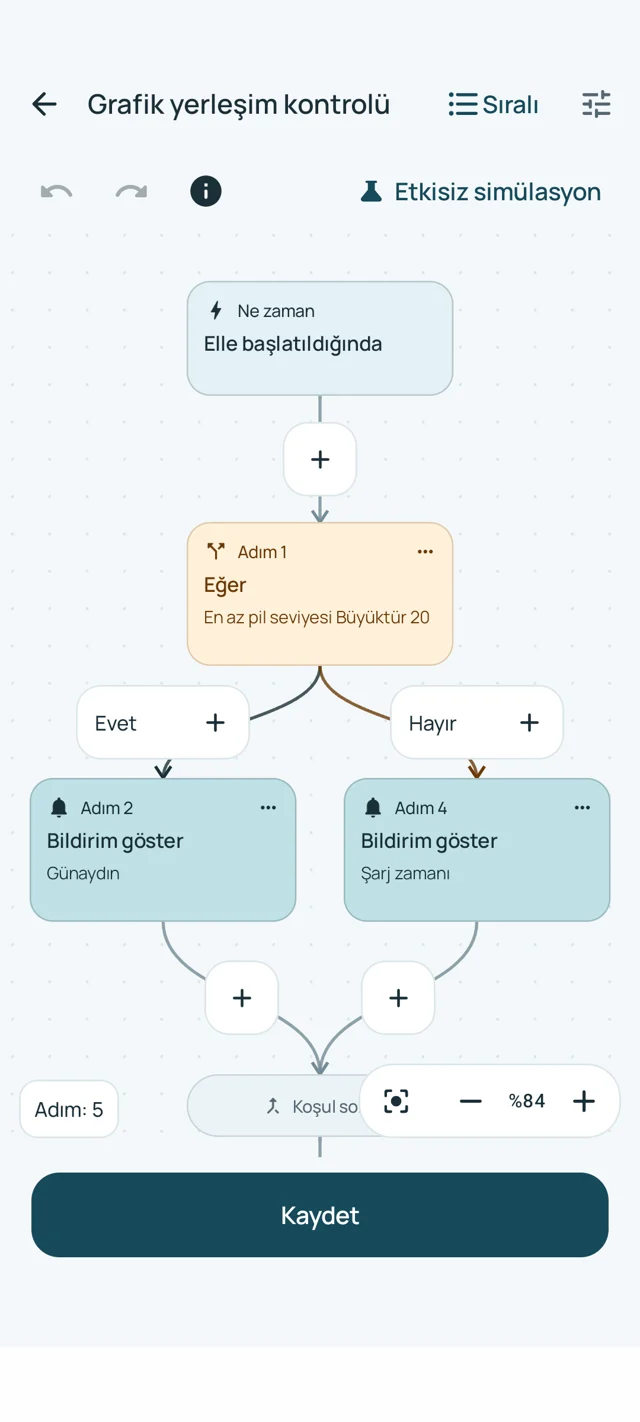
Interactive example · Sends no device commands
What would you like to do?
Pick an everyday example and see how it works.
- When battery level is reached · 80%
- Show notification
Connect your light to a flow.
Turn on a supported Home Assistant light when you dismiss a TypexAhenka alarm.
Steps- When a TypexAhenka alarm is dismissed
- Control device · Home Assistant
Make an encrypted copy of your file.
Protect a selected file by creating an encrypted copy while keeping the original.
Steps- When manually started
- Encrypt file (copy)
Three steps. You’re in control.
- 1
Choose a trigger
Start with a time, a phone event or a manual trigger.
- 2
Add an action
Choose a notification, a file task or a supported device action.
- 3
Test, then enable
Review the simulation first, then check the real result with the required permissions.
Know what happened.
Verified
The result was verified through a read-back or the relevant local operation.
Command accepted
The request was accepted; the physical outcome has not yet been verified.
Result unverified
The command may have arrived. Check the target before sending it again.
Your home, your rules.
Start with supported connections. Control depends on the capabilities your device exposes.
View allThings you might wonder.
Do I need internet?
Local phone and file actions work offline. External connections have their own network requirements.
Does every smart device work?
Supported devices exposed by Home Assistant and documented HTTP endpoints can be used. There is no universal access to every Wi-Fi device.
Do I need AI?
No. The flow engine works without a model. Optional local AI is still planned.
Start with a small flow.
Begin by showing your own notification. Build on it for your daily routine.
Open the guide